
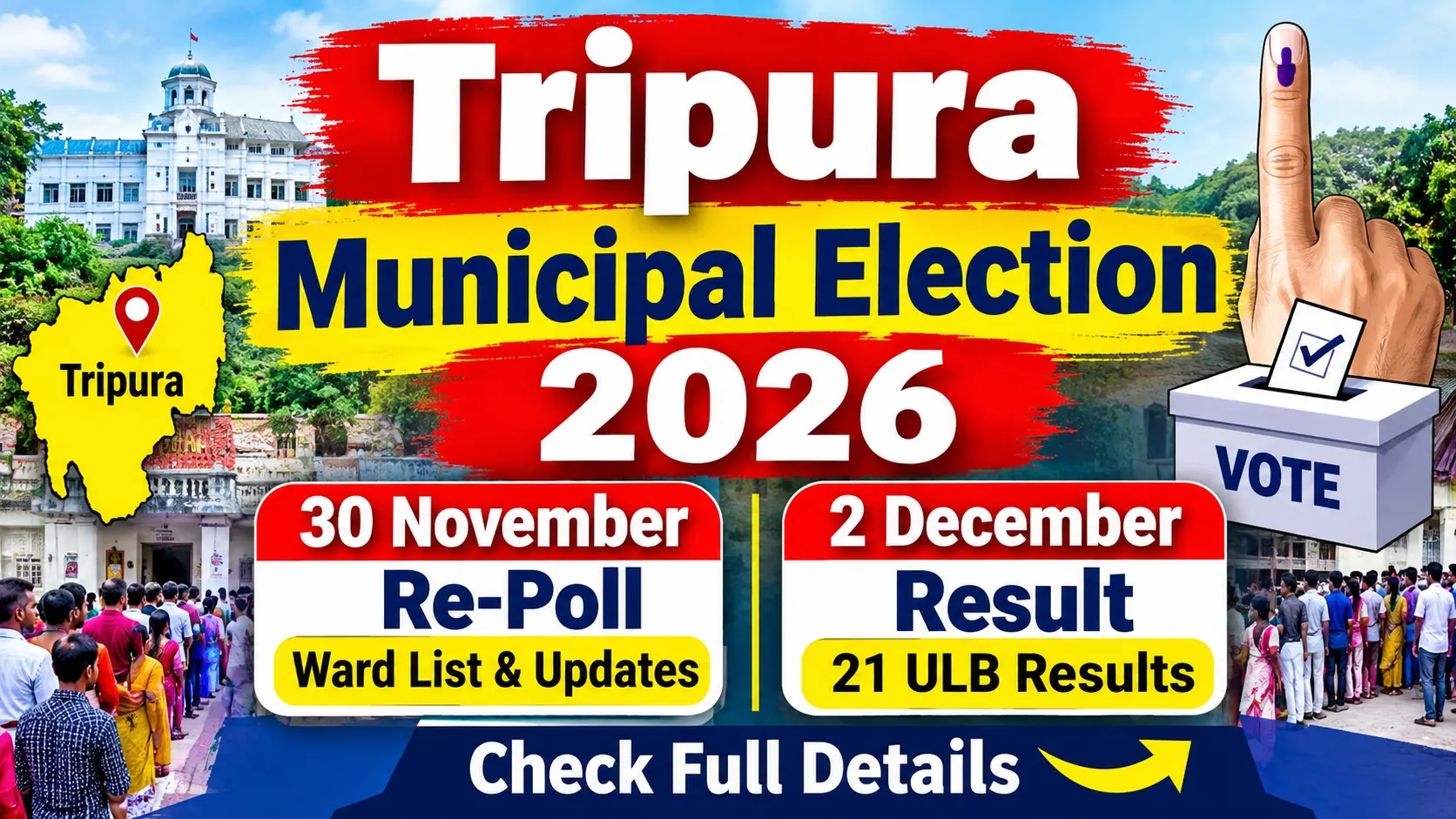
Tripura Municipal Election 2026: How to Check Your Name in Voter List
Checking your name in the voter list is one of the most important steps before voting in the Tripura Municipal Election 2026. Every eligible voter should confirm that their name appears in the applicable electoral roll and check their voter details before visiting the polling station.
The Tripura State Election Commission conducted the 2026 Urban Local Body election process for Agartala Municipal Corporation, Municipal Councils and Nagar Panchayats. Voters can use the Election Commission of India Electoral Search portal to search their name and verify their registration details. They should also refer to the municipal election voter roll and notifications published by the Tripura State Election Commission.
Important: Having a Voter ID card does not by itself guarantee that a person can vote. The voter must have their name included in the applicable electoral roll. Always verify the latest official voter list and election instructions.
How to Check Your Name in Tripura Voter List Online
Follow these steps to search your name in the electoral roll online:
- Open the official Election Commission of India Electoral Search portal: https://electoralsearch.eci.gov.in/.
- Select the search option available on the portal.
- You can search using your EPIC number, which is printed on your Voter ID card.
- If you do not have your EPIC number, use the personal details search option where available.
- Enter the required details such as your name, age or date of birth, state and other requested information.
- Complete the verification process shown on the portal.
- Submit the search and check whether your voter record appears.
- Review your name, constituency, polling station and other available details carefully.
How to Search Voter Details Using EPIC Number
The EPIC number is the unique identification number printed on an Elector Photo Identity Card. It can be used to search voter registration details online.
- Keep your Voter ID card ready.
- Find the EPIC number printed on the card.
- Visit the official Electoral Search portal.
- Choose the search by EPIC option.
- Select Tripura as your state, if the portal asks for it.
- Enter your EPIC number and complete the verification.
- Check the voter record displayed on the screen.
If the search does not show your record, try the personal details search and verify the spelling of your name and other information.
How to Check Your Name Without Voter ID Number
If you do not have your EPIC number, you may still be able to search your name through the personal details option on the official portal.
- Open the Electoral Search website.
- Select the search by details option.
- Enter your name and the other requested personal details.
- Select Tripura as your state.
- Provide district or constituency information if requested.
- Complete the verification and submit the search.
- Compare the displayed information with your actual voter details.
Use the spelling and personal details that appear in your official records. If multiple similar records appear, check the age, relative name, address and polling area before identifying your entry.
Official Websites to Check Tripura Voter List 2026
| Website | Purpose |
|---|---|
| ECI Electoral Search | Search your name in the electoral roll. |
| ECI Voters Services Portal | Voter registration, corrections, application tracking and voter services. |
| Tripura State Election Commission | Municipal election notifications, electoral roll information and polling arrangements. |
| Government of Tripura | Official state government information. |
How to Check Your Municipal Ward and Polling Station
After finding your voter record, check the municipal ward and polling station details carefully. The polling station shown in your voter record should be cross-checked with the final polling station information issued for the relevant Urban Local Body election.
- Search your name on the ECI Electoral Search portal.
- Note the polling station and electoral details displayed in your record.
- Visit the Tripura State Election Commission website.
- Open the relevant Urban Local Body election notification or final polling station list.
- Find your Municipal Council, Nagar Panchayat or Agartala Municipal Corporation.
- Match your ward and polling station details with the official list.
- Check for any later notification that changes the polling arrangement.
What to Do If Your Name Is Not Found in the Voter List?
If your name does not appear in the online search, do not immediately assume that your voter registration has been cancelled. First check whether the details were entered correctly and whether you are searching in the correct state and electoral area.
- Check the spelling of your name.
- Try searching with your EPIC number.
- Try the personal details search option.
- Check whether your address or polling area has changed.
- Consult the relevant electoral roll or the concerned election office.
- Contact the Booth Level Officer or Electoral Registration Officer for assistance.
- For municipal election-specific information, check the Tripura State Election Commission website.
How to Apply If Your Name Is Missing From the Electoral Roll
If you are eligible to register as a voter but your name is not included in the electoral roll, you can check the applicable registration process through the Election Commission of India Voters Services Portal.
Form 6 - New Voter Registration
Form 6 is generally used by eligible Indian citizens to apply for inclusion of their name in the electoral roll as a new voter. Applicants should review the eligibility conditions and required documents before submitting the application.
Official portal: https://voters.eci.gov.in/
Form 8 - Correction or Shifting of Residence
Form 8 is used for services such as correction of entries in the electoral roll, shifting of residence, replacement of EPIC and marking of disability details, as applicable.
Form 7 - Objection or Deletion
Form 7 is used for filing an objection to a proposed inclusion or requesting deletion of a name from the electoral roll under the applicable rules.
Important election note: Submitting a voter registration or correction application does not automatically add your name to an already finalized election roll. For a particular election, the applicable roll and statutory cut-off dates must be followed. Contact the concerned election office if you need clarification about eligibility for a specific municipal poll.
How to Check Voter List Through the Voter Helpline
The Election Commission of India also provides voter assistance through its Voter Helpline services.
- Helpline number: 1950. Add the appropriate STD code before dialling when required.
- SMS service: Send ECI space EPIC number to 1950, subject to service availability and instructions.
- Mobile application: Use the official Voter Helpline App.
- Online search: Use the ECI Electoral Search portal.
For example, if your EPIC number is ABC1234567, the SMS format is ECI ABC1234567. Check the current instructions on the Election Commission website before using the SMS service.
Documents and Details You May Need
- EPIC number or Voter ID card, if available.
- Full name as recorded in official documents.
- Date of birth or age.
- Relative name, if requested by the search portal.
- State, district and address details.
- Registered mobile number, where required for online services.
Tripura Municipal Election 2026: Important Voter Information
| Information | Details |
|---|---|
| Election | Tripura Urban Local Body General Election 2026 |
| Urban Local Bodies | Agartala Municipal Corporation, Municipal Councils and Nagar Panchayats |
| Original Polling Date | 27 November 2026 |
| Original Polling Time | 7:00 AM to 4:00 PM |
| Possible Re-Poll Date | 30 November 2026, if required and officially ordered |
| Counting Date | 2 December 2026 from 8:00 AM |
| Election Process Completion | Before 4 December 2026 |
The dates above describe the general election schedule. A re-poll will take place only where ordered by the competent election authority. Voters should check the separate official notification for the affected ward, polling station, date and time.
Important Instructions for Voters
- Check your name in the applicable electoral roll before visiting the polling station.
- Do not depend only on possession of a Voter ID card.
- Verify your ward and polling station using official election information.
- Check the latest notification if a re-poll is announced.
- Carry an accepted photo identity document as specified by the election authority.
- Do not share your EPIC number, personal details or OTP with unknown persons or unofficial websites.
- Use only official government and Election Commission portals for voter services.
Frequently Asked Questions
1. How can I check my name in the Tripura Municipal Election 2026 voter list?
Visit the ECI Electoral Search portal at https://electoralsearch.eci.gov.in/ and search using your EPIC number or personal details. Also check the applicable municipal electoral roll and official information published by the Tripura State Election Commission.
2. Can I check my voter name using my Voter ID number?
Yes. You can use the EPIC number printed on your Voter ID card to search your voter record through the official Electoral Search portal.
3. Can I search my name without an EPIC number?
Yes. Use the personal details search option on the Electoral Search portal, if available, and enter the requested details.
4. What should I do if my name is missing from the voter list?
Check the spelling and search details again. If your name is still missing, contact the relevant Booth Level Officer or Electoral Registration Officer and check the applicable registration procedure.
5. Which form is used for new voter registration?
Form 6 is generally used by eligible Indian citizens to apply for inclusion in the electoral roll as a new voter.
6. Which form is used to correct voter details?
Form 8 is used for correction of entries and other specified voter services, including shifting of residence and replacement of EPIC, as applicable.
7. Is a Voter ID card enough to vote?
No. Your name must appear in the applicable electoral roll. You must also follow the identity verification instructions issued by the election authority.
8. How can I find my polling station in Tripura?
Search your voter record through the ECI Electoral Search portal and cross-check the polling station with the final polling station list issued by the Tripura State Election Commission.
9. What is the Tripura municipal re-poll date in 2026?
30 November 2026 is included in the general schedule for re-poll or fresh poll, if required and officially ordered. It does not mean that every ward will vote again.
10. Where can I get official help regarding the Tripura voter list?
Visit the Tripura State Election Commission website at https://sec.tripura.gov.in/ or use the Election Commission of India voter services and helpline.
Conclusion
Every voter should check their name in the electoral roll before an election. For the Tripura Municipal Election 2026, voters can search through the Election Commission of India Electoral Search portal and verify municipal election details through the Tripura State Election Commission. If your name is not found, check your details carefully and contact the appropriate election official. Always follow the latest official instructions about voter registration, polling stations and re-poll arrangements.
Disclaimer: This article is for general voter awareness and educational purposes. Electoral roll details, application deadlines, polling arrangements and election instructions are controlled by the competent election authorities. The inclusion of a name in an online search should be checked against the applicable final electoral roll for the election. Always rely on official government notifications for the latest information.


