
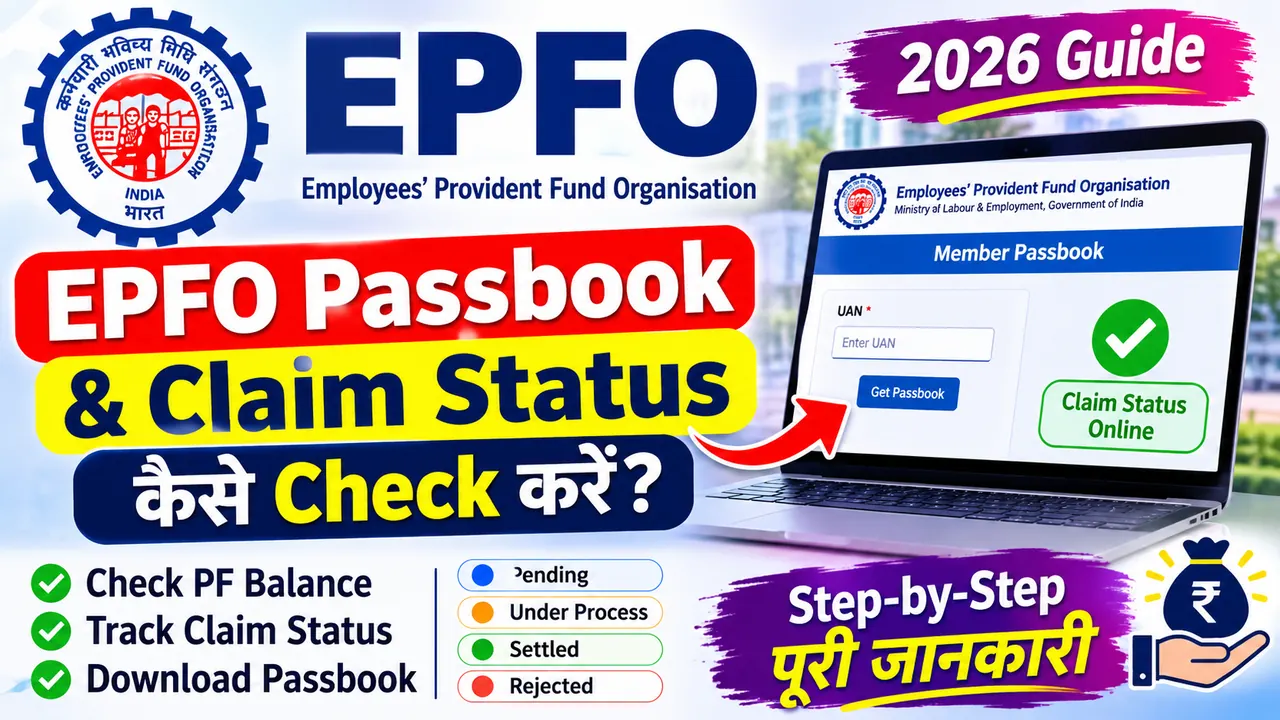
EPFO Passbook Login Problem Solution: Common Errors and Fixes
Are you facing problems while logging in to your EPFO Passbook account? Many EPF members experience login errors such as invalid UAN or password, incorrect captcha, account access problems, passbook not loading, or a temporary service error.
The EPFO Passbook Portal allows eligible members to view their Provident Fund contributions and account transactions. However, login problems can occur because of incorrect credentials, UAN activation issues, browser problems, account information mismatches, or temporary technical issues.
In this guide, you will learn how to solve common EPFO Passbook login problems, reset your UAN password, fix captcha errors, check whether your passbook is available, and contact EPFO through official channels.
1. Official EPFO Passbook Login Link
Always use the official EPFO website to access your PF passbook. Avoid unofficial websites that ask for your UAN, password, Aadhaar details, or OTP.
Official EPFO Passbook Portal:
https://passbook.epfindia.gov.in/MemberPassBook/login
Official EPFO Member e-Sewa Portal:
https://unifiedportal-mem.epfindia.gov.in/memberinterface/
2. How to Login to EPFO Passbook
Before troubleshooting an error, make sure you are following the correct login process.
Steps to Login to EPFO Passbook
- Open the official EPFO Passbook Portal.
- Enter your 12-digit Universal Account Number (UAN).
- Enter the password associated with your UAN Member Portal account.
- Complete the captcha displayed on the screen.
- Click the Sign In button.
- After successful login, select the relevant PF Member ID if multiple accounts are linked to your UAN.
- Open your passbook to view available contribution and transaction details.
Important: The passbook portal uses your UAN and the associated Member Portal password. You generally do not need a separate passbook password.
3. EPFO Passbook Login Problems and Their Solutions
Different login errors can have different causes. Identify the message displayed on your screen and follow the relevant troubleshooting steps.
Problem 1: Invalid UAN or Password
This error may appear when you enter an incorrect UAN or password, use an old password, or have not activated your UAN.
Solution:
- Verify that your UAN contains 12 digits.
- Check whether Caps Lock is enabled.
- Enter the password associated with your UAN Member Portal account.
- Check for accidental spaces before or after the password.
- If you have forgotten your password, use the Forgot Password facility on the official Member Portal.
- If your UAN has not been activated, follow the current official UAN activation instructions.
Problem 2: Forgot UAN Password
If you cannot remember your EPFO password, you can use the password recovery facility available on the Member e-Sewa Portal.
Steps to Reset EPFO Password:
- Open the EPFO Member e-Sewa Portal.
- Click the Forgot Password option on the login page.
- Enter your UAN as requested.
- Complete the verification process displayed on the portal.
- Verify your registered mobile number through the required OTP process.
- Follow the instructions to create a new password.
- Return to the login page and try signing in with your new password.
The available recovery process may depend on your registered mobile number and the verification options displayed by EPFO.
Problem 3: Invalid Captcha Error
Sometimes the portal displays an invalid captcha message even when you believe the code is correct.
Solution:
- Refresh the captcha and enter the newly displayed code.
- Check uppercase and lowercase letters carefully.
- Do not use an old captcha after refreshing the page.
- Complete the login process without leaving the page idle for too long.
- Refresh the page and try again if the captcha is not loading correctly.
Problem 4: EPFO Passbook Website Is Not Opening
If the passbook website does not open, shows a blank page, or displays a temporary error, the issue may be related to browser connectivity or an EPFO technical problem.
Solution:
- Check whether your internet connection is working.
- Open the official portal in another browser.
- Try using a private or incognito browser window.
- Clear the browser cache and cookies if the page continues to behave incorrectly.
- Disable browser extensions temporarily if they interfere with the login page.
- Try again later if the portal appears to be experiencing a temporary service interruption.
Changing your password repeatedly will not fix a server-side outage. First check whether the portal itself is accessible.
Problem 5: Passbook Is Not Loading After Login
Sometimes members can sign in successfully but cannot open or view their passbook.
Possible reasons:
- Temporary technical issues with the passbook service.
- The passbook facility is not available for the particular account or establishment.
- Account records are not available for display.
- The selected PF Member ID is not the account you expected.
Solution:
- Verify that you selected the correct PF Member ID.
- Try accessing the portal again after some time.
- Check the official EPFO FAQ for passbook availability information.
- If your employer maintains an exempted PF trust, contact the establishment for your PF statement.
- Contact EPFO if the passbook should be available but the issue continues.
Problem 6: UAN Is Not Activated
If your UAN has been allotted but not activated, you may not be able to use the Member Portal services that require an active account.
Solution:
- Check the current UAN activation instructions on the official EPFO website.
- Use the official activation facility available through the channel specified by EPFO.
- Keep your UAN, Member ID and registered mobile details available.
- Complete the required identity verification steps.
- Contact your employer or EPFO if your details do not match the records.
EPFO may update its UAN activation process. Follow the current instructions shown on its official portal rather than relying on older activation guides.
Problem 7: Details Do Not Match
If your name, date of birth, gender or other personal details do not match the records used for verification, you may face difficulties accessing certain EPFO services.
Solution:
- Check your personal details in the EPFO Member Portal.
- Compare them with the relevant identity records.
- Identify whether the error is in your EPFO record or another identity record.
- Follow the applicable EPFO correction process.
- Contact your employer if employer-side verification or correction is required.
Problem 8: Account Temporarily Blocked or Access Restricted
If the portal does not allow you to sign in, do not keep trying random passwords. Repeated unsuccessful attempts can create additional access difficulties.
Solution:
- Stop repeated login attempts.
- Use the official Forgot Password or account recovery option if available.
- Follow any verification or security instructions displayed by EPFO.
- Contact the official EPFO helpdesk if access remains unavailable.
Do not assume that every login failure means your account has been permanently blocked.
4. EPFO Passbook Login Error and Solution Table
| Login Problem | What You Can Try |
|---|---|
| Invalid UAN | Verify your 12-digit UAN. |
| Invalid Password | Check your password or use Forgot Password. |
| Forgot Password | Follow the official password recovery process. |
| Invalid Captcha | Refresh and enter the new captcha. |
| Website Not Opening | Check your connection and try another browser. |
| Passbook Not Loading | Check account eligibility and try again later. |
| UAN Not Activated | Follow the current official activation process. |
| Details Not Matching | Verify and correct the relevant records. |
| Account Access Problem | Use official recovery or contact EPFO. |
5. What to Do If EPFO Passbook Is Unavailable for Your Account?
Not every EPF member can necessarily view a passbook through the online facility. EPFOs official member FAQ explains that members working in exempted establishments, where the PF is managed by the company or its trust, may not have a passbook available through the UAN portal.
If you work for an exempted establishment:
- Contact your employers HR or PF department.
- Ask for the PF statement maintained by the establishment or trust.
- Confirm your employee and employer contributions with the official statement.
- Contact EPFO if you need clarification about your account or service records.
6. Alternative Ways to Check PF Balance
If the detailed passbook portal is not working, you may be able to use other official EPFO facilities to check available PF balance information.
Option 1: EPFO Missed Call Facility
Give a missed call to 9966044425 from your UAN-registered mobile number. Your UAN must be activated, and the applicable KYC requirement must be satisfied.
Option 2: EPFO SMS Facility
Send EPFOHO UAN to 7738299899 from your registered mobile number. This facility is intended for balance and contribution enquiries, not detailed passbook login.
Option 3: EPFO Member Portal
Visit the EPFO Member e-Sewa Portal and check the services available after signing in.
These alternatives provide different types of information. A missed call or SMS does not replace the detailed passbook transaction history.
7. How to Contact EPFO for Passbook Login Problems
If you have tried the available troubleshooting steps and still cannot access your passbook, contact EPFO through its official support channels.
EPFO Helpdesk
Toll-Free Helpdesk Number: 1800 118 005
EPFO Grievance Portal
You can submit a complaint through the official EPFiGMS Grievance Management System.
Steps to Raise an EPFO Complaint
- Open the official EPFiGMS portal.
- Select the grievance registration option.
- Enter the required UAN and personal details.
- Select the appropriate grievance category.
- Explain your passbook login problem clearly.
- Attach relevant screenshots or supporting documents, if required.
- Submit the grievance and save the registration number.
- Track your grievance using the portal.
Do not include your password or OTP in a grievance description or attachment.
8. Important Security Tips for EPFO Members
- Always use official EPFO websites for login and account services.
- Never share your UAN password or OTP with anyone.
- Do not disclose Aadhaar, PAN or bank details to unknown callers.
- Do not pay agents who promise to fix your EPFO login problem.
- Avoid entering your credentials on websites received through suspicious messages.
- Use the official EPFO grievance portal for unresolved problems.
Frequently Asked Questions (FAQs)
1. Why am I unable to login to my EPFO passbook?
Common reasons include incorrect UAN or password, an unactivated UAN, captcha errors, browser issues, account information mismatches or temporary technical problems with the portal.
2. Is the EPFO Passbook password different from the UAN password?
The passbook portal uses your UAN and the password associated with your Member Portal account. A separate passbook password is generally not required.
3. How can I reset my EPFO passbook login password?
Open the official EPFO Member e-Sewa Portal, select Forgot Password and follow the verification instructions displayed on the portal.
4. What should I do if EPFO shows an invalid captcha?
Refresh the captcha, enter the newly displayed code carefully and complete the login process without leaving the page idle for too long.
5. Why is my EPFO passbook not opening after login?
The issue may be caused by a temporary service problem, account eligibility or unavailable passbook records. Verify your Member ID, check the official EPFO FAQ and contact your employer if your establishment maintains an exempted PF trust.
6. Can I check PF balance if the passbook website is not working?
You may use EPFOs missed-call facility at 9966044425 or SMS facility at 7738299899, subject to the applicable UAN and mobile registration requirements.
7. Can I access my EPFO passbook without UAN?
The standard EPFO Passbook Portal requires UAN-based login. If you do not know your UAN, contact your employer or use the official EPFO services to retrieve your UAN details.
8. What if my employer manages PF through an exempted trust?
Your passbook may not be available through the regular UAN portal. Contact your employer or trust to obtain your PF statement.
9. How can I complain about an EPFO passbook login issue?
Register a complaint through the official EPFiGMS portal at https://epfigms.gov.in/ and save your grievance registration number.
10. Is EPFO passbook login support free?
Use the official EPFO website and support channels. Do not pay private agents or individuals who claim to provide special access or guaranteed login fixes.
Conclusion
EPFO Passbook login problems can occur because of incorrect credentials, forgotten passwords, captcha errors, UAN activation issues, browser problems or temporary technical interruptions. Start by checking your UAN and password, refreshing the captcha and using the official password recovery facility when needed.
If you can log in but cannot view your passbook, verify your Member ID and whether your establishment maintains an exempted PF trust. For unresolved problems, contact the EPFO helpdesk or register a grievance through EPFiGMS.
Always use official EPFO services and never share your password or OTP with anyone.


